✨ Product Updates
January 26
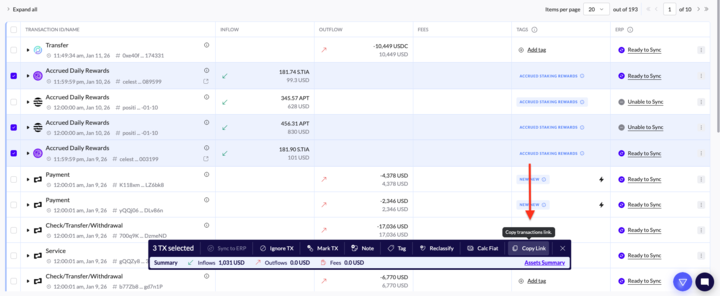
Bulk Action --> Copy Transaction Links:
You can now copy shareable links for multiple selected transactions at once.
Auto-fill reconciliation gaps:
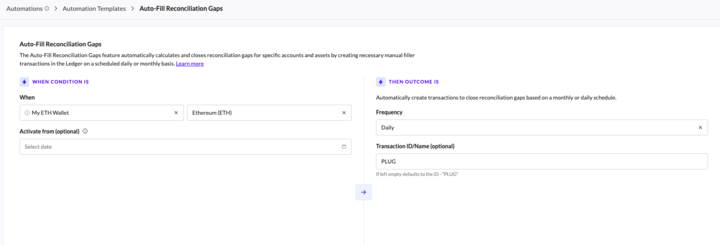
Instead of manually fixing balance discrepancies, users can now schedule a background process to do it for them. The system automatically calculates gaps on a daily or monthly basis and creates the necessary "filler" transactions.
How It Works:
Users can create this new automation type directly from the Automations page.
Mandatory Params: User selects the Account, Asset, and Interval (Daily or Monthly).
The "Activated From" Date:
Defines when the calculation starts. If left empty, it defaults to "From genesis" (calculating from the account's first recorded transaction).
The Output:
The system calculates gaps and creates transactions in the Ledger (default ID: "PLUG") to bring the difference to zero.
We also added a new filter to the Ledger so you can easily find any transactions used to fill reconciliation gaps. (more filters --> "Plug" button)
For all the details, please check the Help Center Article


Ledger update
You can now see a summary of transactions and sub-transactions when selecting items in bulk, making it easier to review batch actions at a glance.

December 25
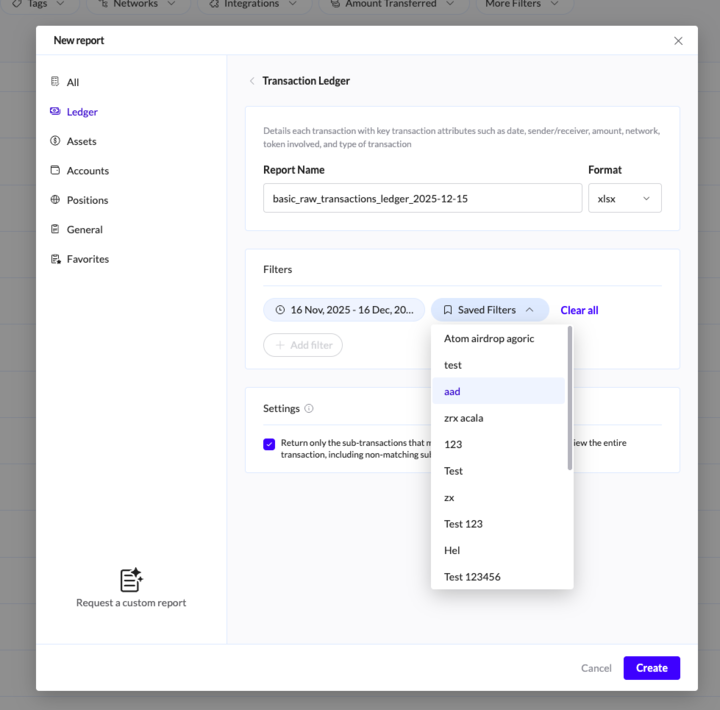
Saved filters in Reports
You can now save frequently used filter configurations as presets within your reports. This brand-new functionality lets you quickly apply complex filter combinations (such as specific asset types, amounts, or date ranges) with a single click, eliminating repetitive setup and accelerating your analysis.
November 25
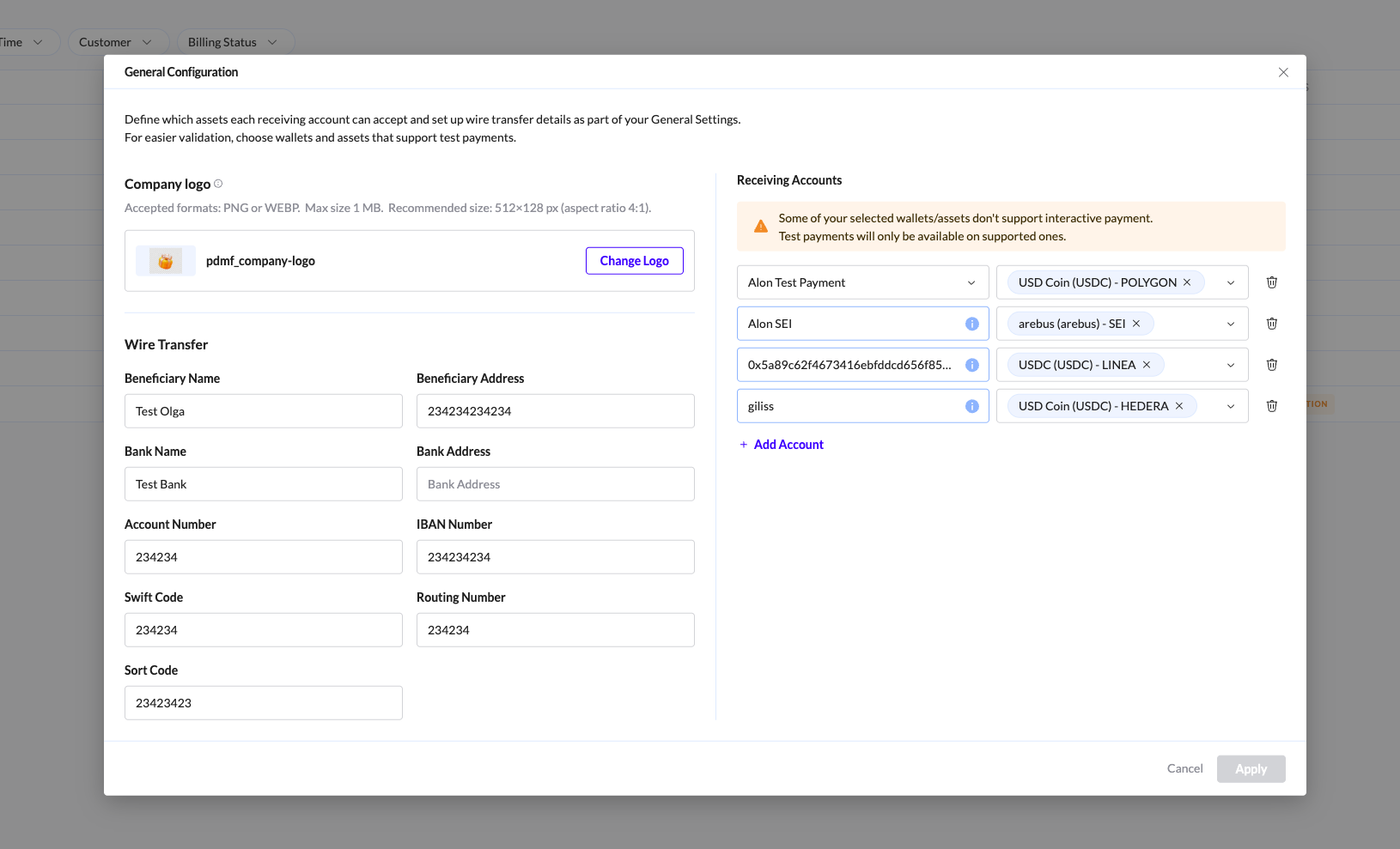
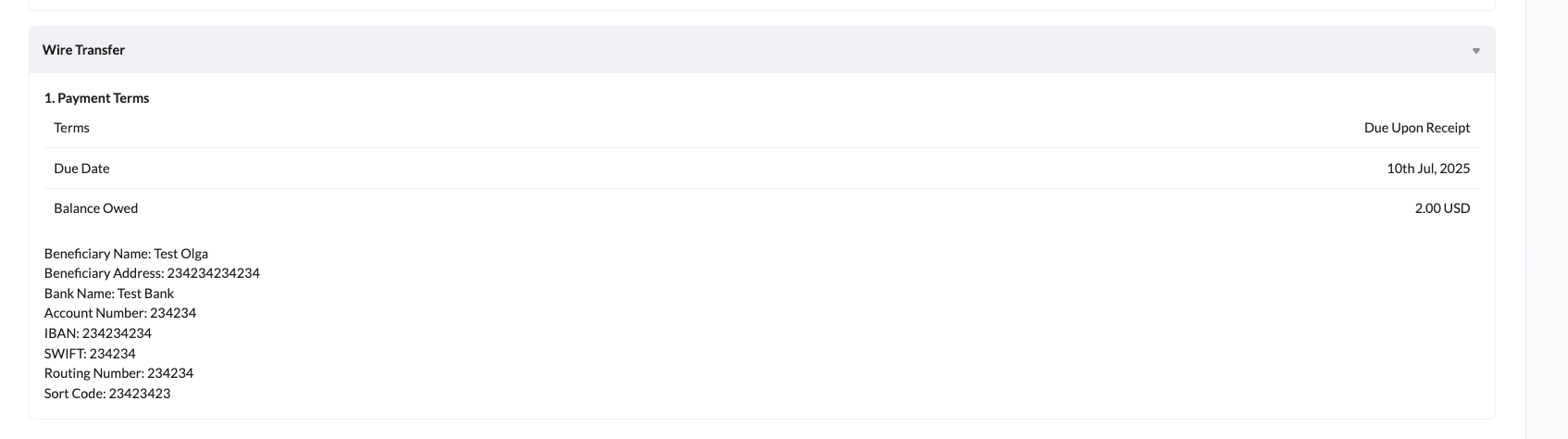
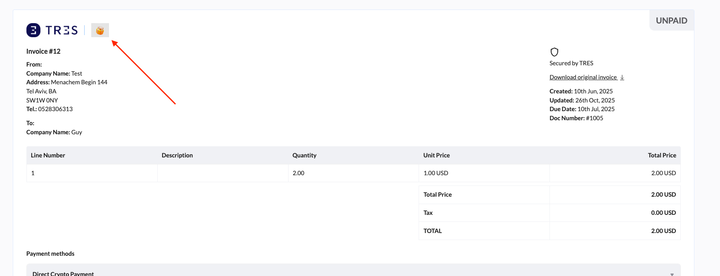
Logos and wire transfer details in invoice configuration
The General Configuration settings now allow users to upload their logo and define standard wire transfer details for automatic inclusion on every invoice generated.
Favorite Asset classes
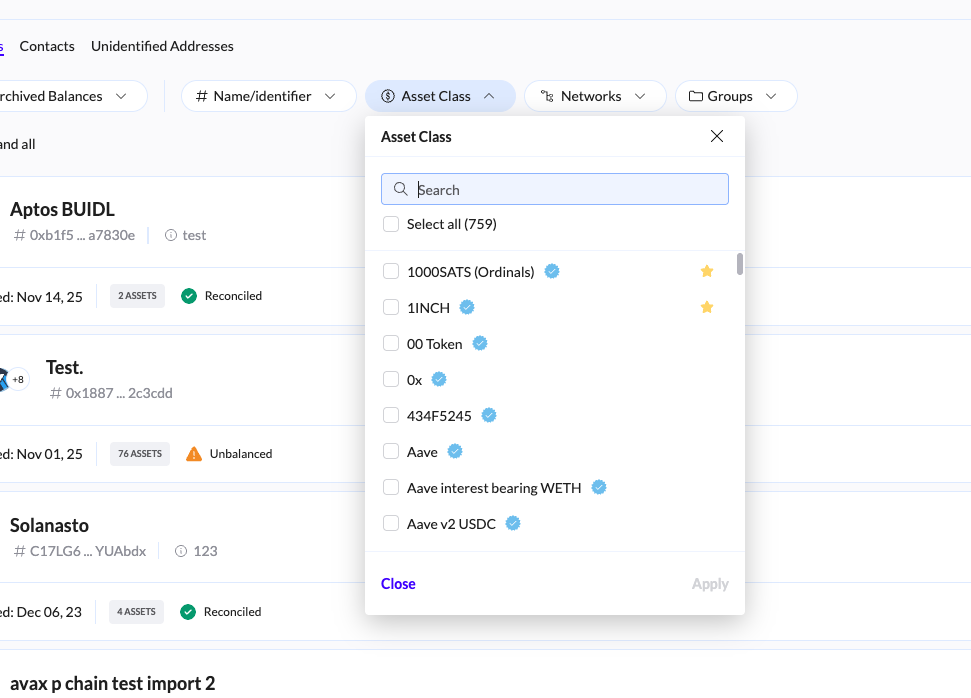
Users can now mark specific Asset Classes as favorites. This preference is saved across the platform, allowing for quicker filtering and improved navigation when viewing data.
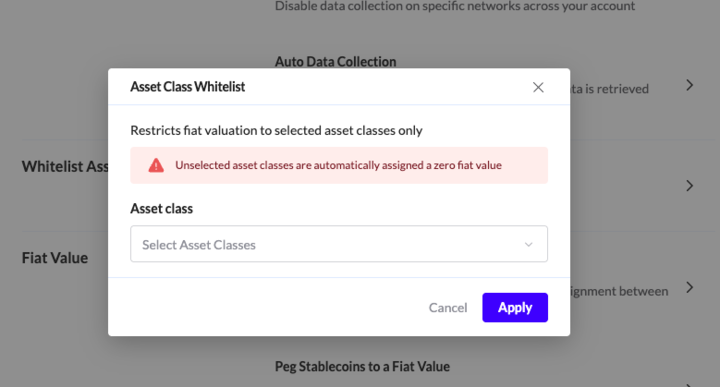
New setting called Whitelist Asset Classes
All assets that are NOT on the list will receive 0 fiat value

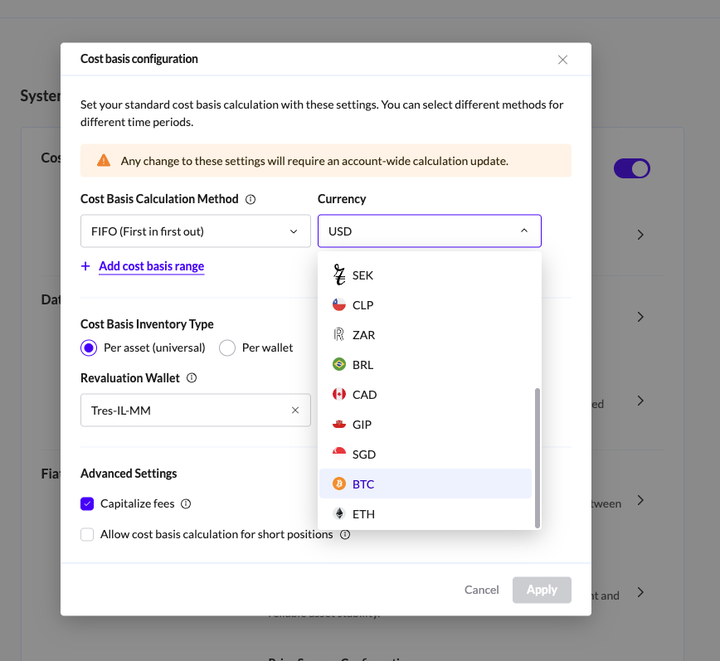
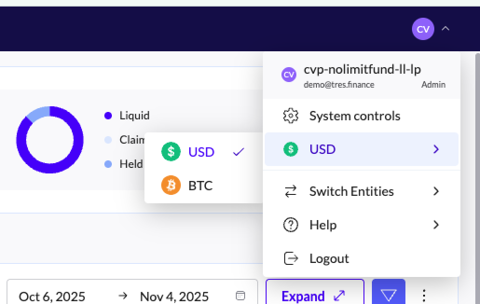
Track prices on the platform in BTC and ETH value
Once you set the calculation through the CB configuration, you can then select the currency on the platform.
October 25
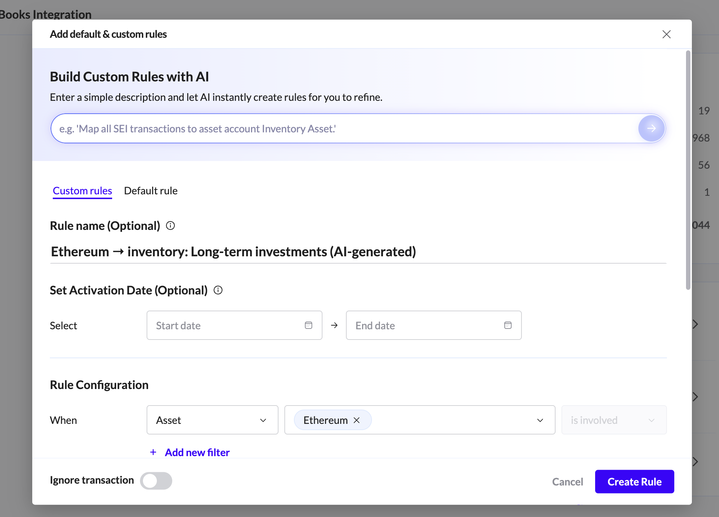
ERP rule creator with AI
Allows you to create ERP rules based on prompts: