
Assets
Overview
The Assets page provides a centralized, comprehensive view of all digital and traditional assets held across your organization's connected wallets and accounts. You can:
Track current balances and total portfolio value.
Analyze asset distribution by wallet and network.
Monitor reconciliation status for data accuracy.
Manage asset-level data for accounting and audit purposes.
General Actions
Calculate Cost Basis - Triggers a cost basis calculation for your assets using your configured method (FIFO, LIFO, etc.), updating unrealized gains/losses.
Learn more about calculating cost basis here.Revaluate - Update asset valuations based on the most recent market rates, ensuring all asset values reflect current conditions. Learn more about Revaluation here
Asset Page Tabs
The Assets page organizes your holdings into six distinct categories, viewable via dedicated tabs at the top of the screen:
Coins Tab:
These are native blockchain currencies (e.g., Bitcoin (BTC), Ethereum (ETH), Solana (SOL), and other Layer 1 blockchain tokens). They represent the fundamental currencies of their respective networks.
Balances and Pricing: View total balance in both native currency and USD equivalent.

When expanding a coin card, you can see:
Overview Tab:
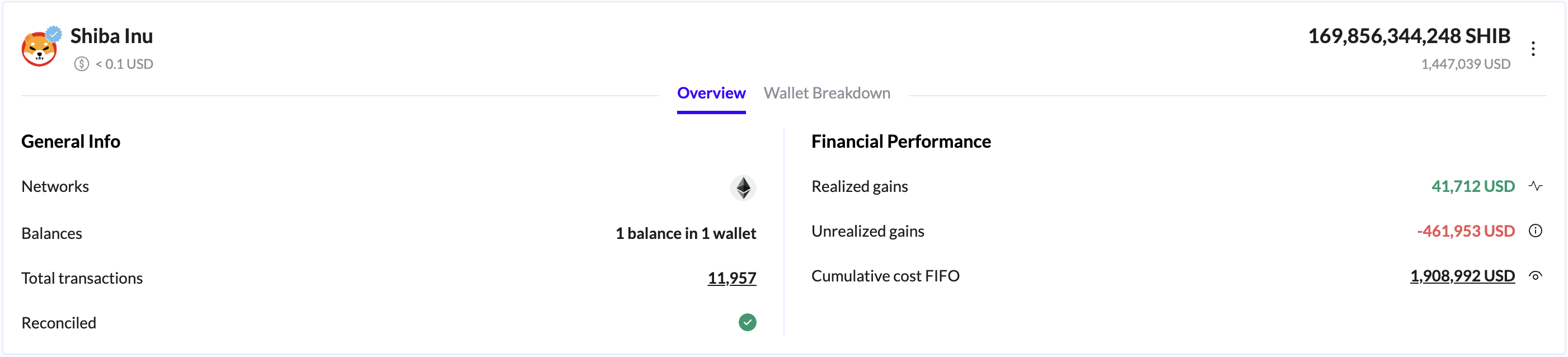
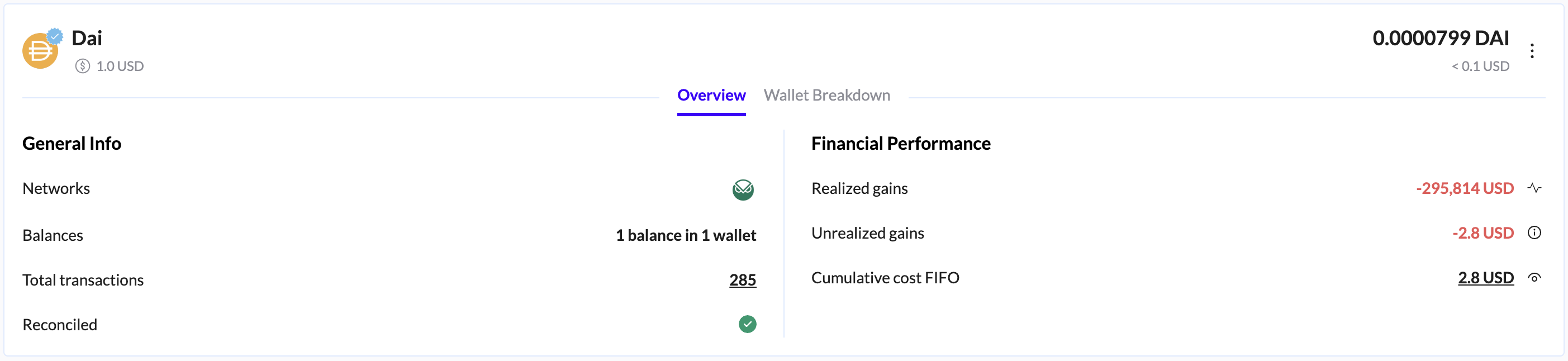
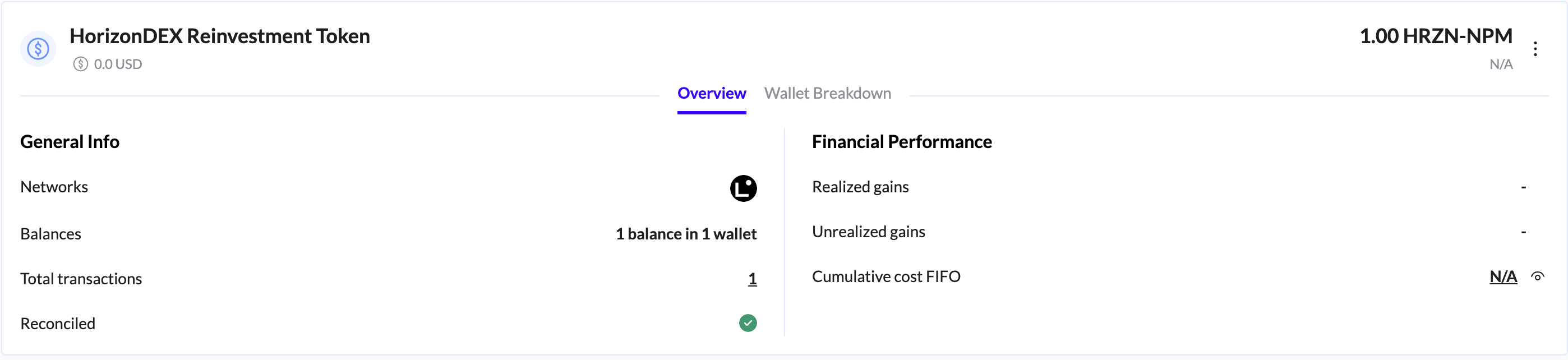
General Info:
Networks - Shows which blockchain network(s) the asset exists on.
Balances - The total number of balances and wallets holding this asset.
Total transactions - The aggregate number of transactions that have involved this asset. This number is clickable to view the filtered Ledger page.
Reconciled - The current reconciliation status indicator.
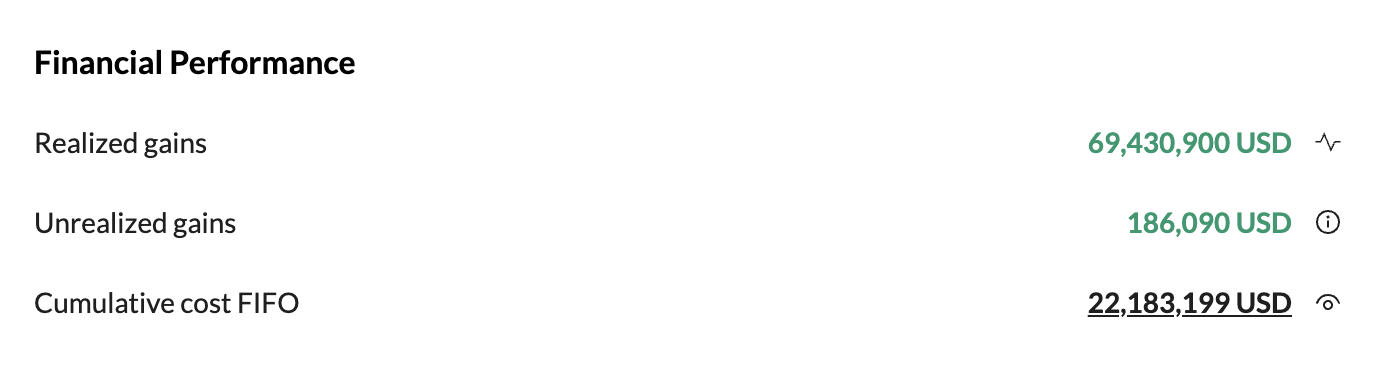
Financial Performance:
Realized gains - The total realized profit or loss (in Fiat) from all transactions involving this asset that have been closed.
Unrealized gains - The current profit or loss (in Fiat) based on the difference between the asset's current market value and its cumulative cost basis.
Cumulative cost FIFO - The asset's total cost basis calculated using the cost basis selected method. This represents the historical capital invested in acquiring the current holdings.
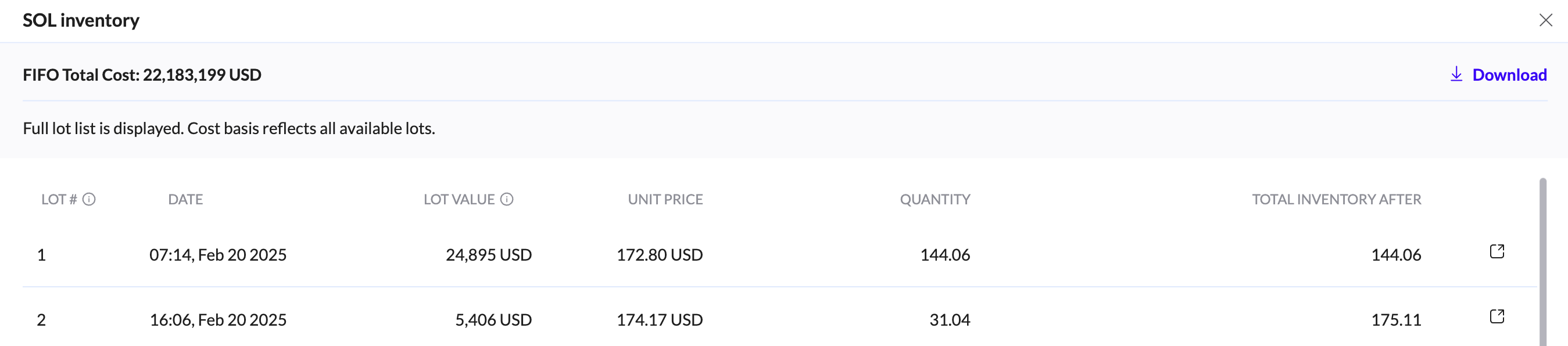
When clicking on it, you can see the coin inventory, with the full lot list displayed. Cost basis reflects all available lots.
Wallet Breakdown tab:
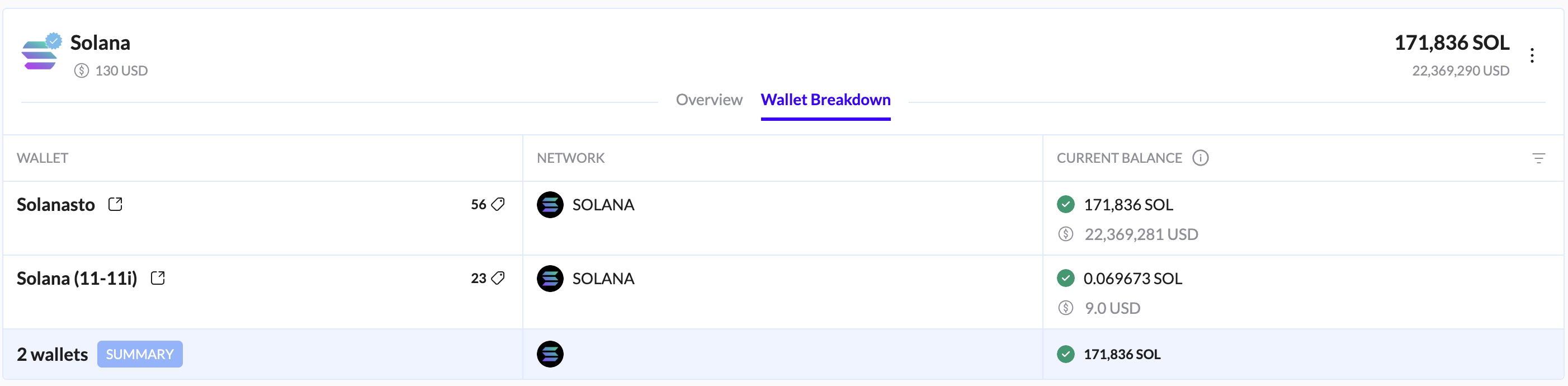
This tab displays a detailed table of how the asset is distributed across your connected accounts.
Wallet - The name or identifier of the wallet holding the asset.
Network - The blockchain network where the balance exists.
Current Balance - The current balance in both the asset's native units and its USD value.
The table footer provides an aggregated summary, including the total number of wallets holding the asset and the total aggregated balance.

Tokens tab:
This category includes assets built on top of blockchain networks, such as ERC-20, SPL, and other token standards. This covers governance tokens, utility tokens, and other fungible assets.
When expanding a Token card, you'll see the Overview & Wallet Breakdown tabs with the same data described in the Coins tab, including the General info and Financial performance.
Key Features:
Comprehensive token information, including the symbol and full name.
Real-time pricing in USD.
Detailed breakdown of holdings across multiple wallet addresses.
Network identification.
Fiat tab:
Traditional government-issued currencies (e.g., USD, EUR, GBP) held in integrated bank accounts or payment processors.
When expanding a Fiat card, you'll see the Overview & Wallet Breakdown tabs with the same data described in the Coins tab, including the General info and Financial performance.
Key Features:
Display of Fiat currency balances.
Support for multi-currency tracking.
Integration with traditional financial accounts.
Stablecoins tab:
Cryptocurrency tokens designed to maintain a stable value, typically pegged to fiat currencies (e.g., USDT, USDC, DAI).
When expanding a Stablecoin card, you'll see the Overview & Wallet Breakdown tabs with the same data described in the Coins tab, including the General info and Financial performance.
Key Features:
Track stablecoin holdings across various networks.
Monitor peg stability.
View total value in USD and network-specific balances.
NFT tab:
Non-fungible tokens, including digital art, collectibles, domain names, and other unique digital assets.
When expanding NFT card, you'll see the Overview & Wallet Breakdown tabs with the same data described in the Coins tab, including the General info and Financial performance.
Key Features:
Overview of NFT collections.
Individual asset identification.
Floor price and value tracking.
Network and wallet location tracking.
Positions Asset tab:
This tab tracks complex financial positions such as DeFi protocol positions, liquidity pool tokens, yield farming positions, and derivative positions.
When expanding Position Asset card, you can see:
Wallet - The name or identifier of the wallet holding the asset position. The external link icon takes you to the Ledger page filtered to show only the relevant transactions.
Underlying Asset - The base asset that makes up the position.
Network - The specific blockchain network or component where the balance exists.
Amount - The current balance of the underlying asset in both its native units and Fiat value.
Type - Indicates the specific status or nature of the position.

Filters
Use the filtering options to narrow your focus and analyze specific segments of your portfolio:
Asset Class - Filters assets by their primary classification (Coin, Token, Stablecoin, NFT, etc.).
Wallet - Filters assets based on the wallet(s) that hold them.
Networks - Filters assets by blockchain network (e.g., Ethereum, Solana, Arbitrum).
Show Zero Balances - Toggle on or off to include assets that currently have zero balance.
Export Assets Report
Export a comprehensive report of your assets, customizable for accounting, tax, or analysis purposes.
Related reports:
Reevaluation report
Asset balances
Balance trends
Asset balances V2
Wallet balances
Asset balances - Archives
Cost basis stack per asset