Accounts
Overview
The Accounts page is the central hub for managing wallets, contacts, and unidentified addresses within your digital asset ecosystem. It provides visibility into account balances, transaction activity, and relationship mappings.
General actions
Add Wallet:
On-chain wallet - Connect to blockchain, and automatically import transactions.
Exchange wallet - Connect to exchange, and automatically import transactions.
Plaid wallet
Manual wallet - For unsupported chains, only contains your manual transactions.
Add Contact
Upload CSV
Upload file ion the following format example:
Add manually
Define the contact name.
Add addresses to associate with this contact.

Wallets Tab
Displays connected wallets in card format with details including:
Network icons for active blockchains (e.g., Ethereum, Solana).
Wallet name and truncated address with the option to copy.
Description and total USD value of assets held.
Added date, asset count, and group tags.
Click on a card to expand it and see:
The list of all assets in a wallet including their network and current balances (balance presented by the network).
The Current Balance column shows whether the asset is reconciled.
Supports filtering by groups, networks, asset classes, and search by name/address.
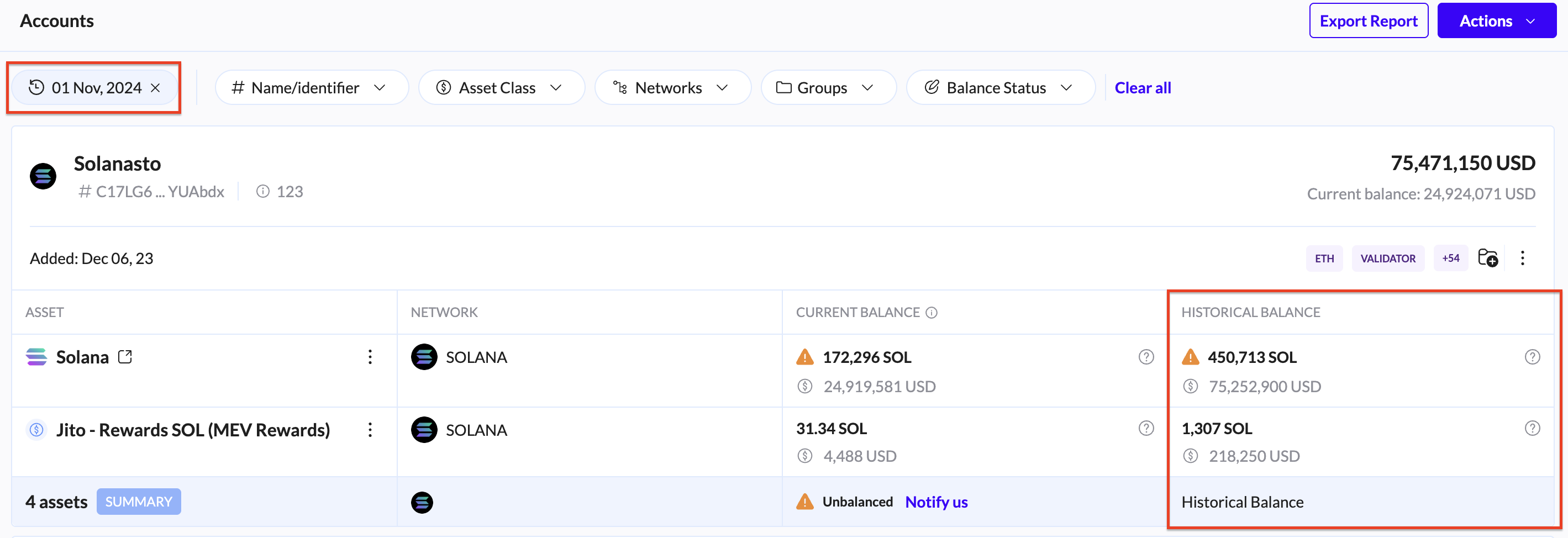
Historical balance: To analyze the Historical Balance, select a past date to view the account status at that point in time. Expanding an account will display the current balance against the historical balance for direct comparison.
Wallet actions:
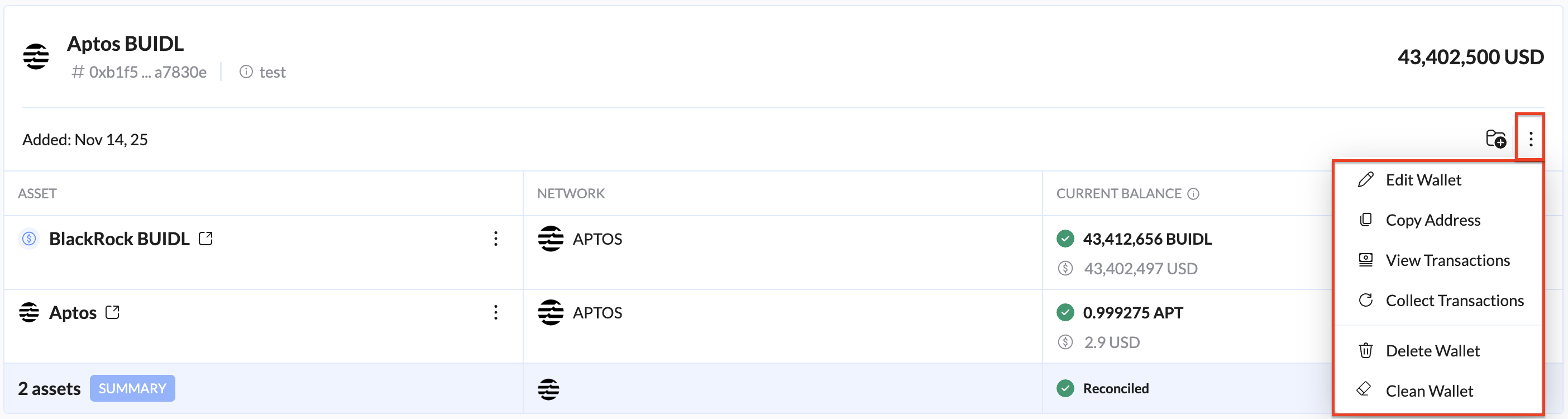
Edit wallet - Name and Description.
Copy address
View transactions - Redirects you to the Ledger page and displays a list of transactions filtered for the selected wallet.
Collect transactions - Runs a collection of all wallet transactions within the defined time period.
Delete wallet
Clean wallet
Contacts tab
Manage known addresses linked to real-world entities.
Searchable by name, address, or group.
Displays contact details including associated addresses, groups, and transaction activity.
Contact actions:

Edit contact - Edit the contact name and associated addresses.
View account in Ledger - Redirects you to the Ledger page and displays a list of transactions filtered for the selected contact.
Delete contact
Unidentified Addresses Tab
Lists addresses from collected transactions that not yet assigned to contacts.
Can toggle views between sender and receiver addresses.
Supports:
Name and save address as a contact.
Assigning address to existing contacts, and manual naming/editing.
View account in Ledger - Redirects you to the Ledger page and displays a list of transactions filtered for the selected account.
Copy address.
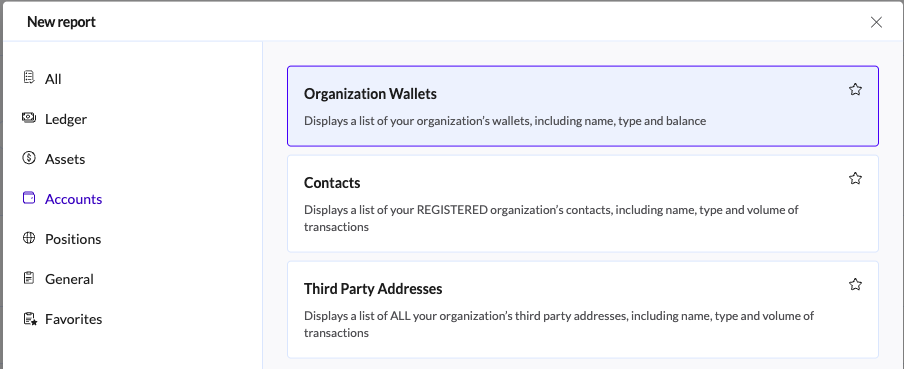
Export Accounts Report
Export reports with wallet/contacts/third-party addresses summaries in CSV, Excel, or PDF.
3 related reports:
Organization Wallets
Contacts
Third-party addresses