
Alerts
Overview
The Alerts page is your command center for automated portfolio monitoring. It allows you to set up custom notifications to track portfolio changes, market movements, transaction activity, and validator performance in real-time. This ensures you can respond quickly to critical events without constantly monitoring your accounts manually.
Key capabilities:
Monitor Risk: Track exposure to specific asset classes to maintain balanced risk.
Track Markets: Get real-time alerts on price movements.
Detect Activity: Spot large or unusual transactions immediately.
Validator Health: Monitor Ethereum 2.0 staking performance and slashing events.
The Alerts List
The main view of the Alerts page displays all your configured alerts in a card-based layout.
Alert Card Details
Each card provides a summary of the alert's configuration:
Alert Name/Type - The category of the alert.
Condition - The logic triggering the alert.
Status Badge - Indicates if the alert is monitoring (ACTIVE) or disabled (INACTIVE).
Real-Time Badge - Indicates continuous, immediate monitoring.
Creation Date - When the alert was set up.
Available Alert Types
1. Exposure To Asset Class
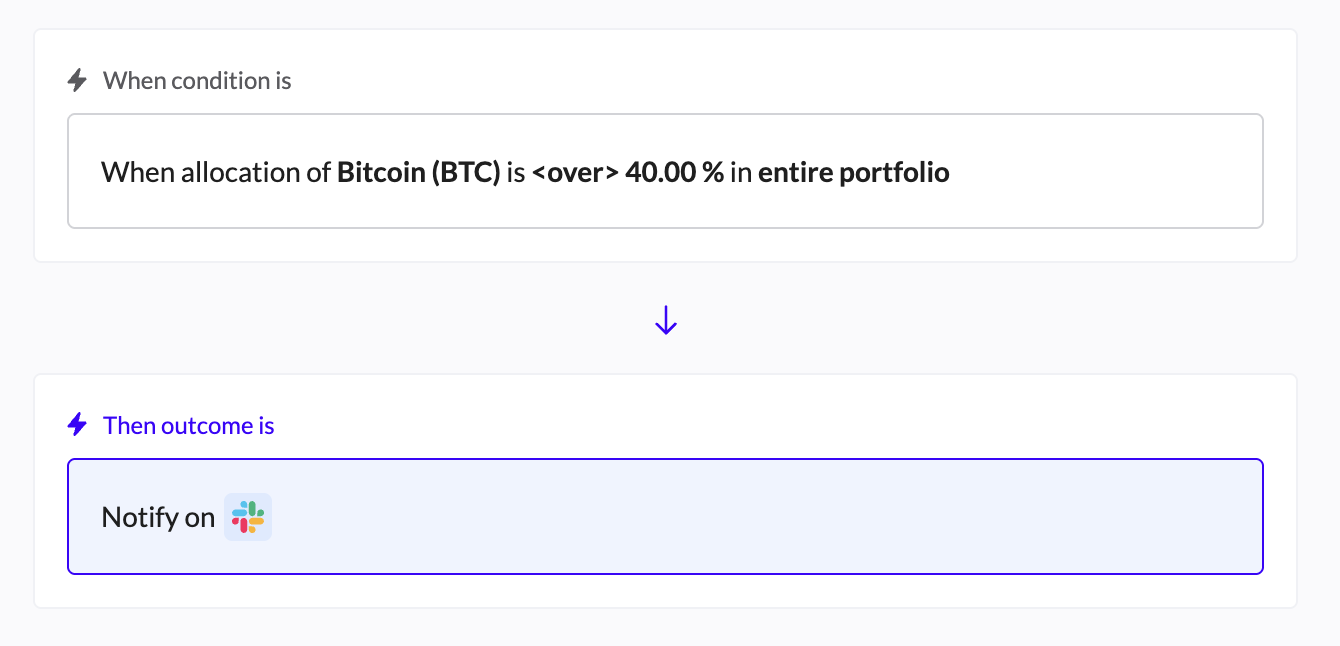
Purpose: Manage risk by monitoring if an asset class exceeds or falls below a specific percentage or fiat value of your portfolio.
Example Use Case: Ensure Bitcoin never exceeds 40% of your total holdings.
Configuration:
Select the Asset Class (e.g., Bitcoin, Stablecoins).
Set the Threshold: Over/Under a specific Amount (USD) or Percentage.
Scope: Apply to the entire portfolio or a specific wallet.

Notify:
Currently only Slack is available
If the Slack integration wasn't installed, go to the Integrations page to connect it.
Click Create Alert.
Outcome:
Tx (Transaction) Activity
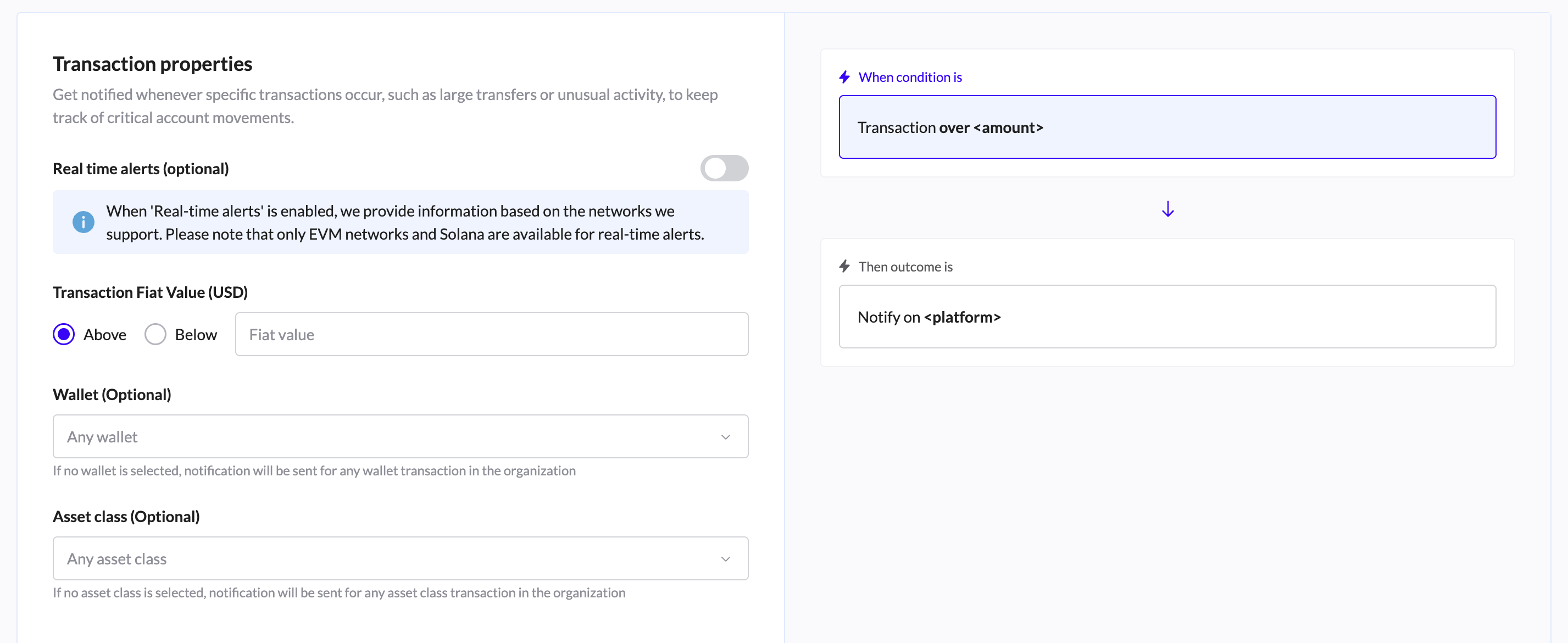
Purpose: Detect specific transaction behaviors, such as large transfers or unusual activity.
Configuration:
Transaction Fiat Value: Alert if a transaction is Above or Below a specific amount.
Filters: Monitor specific Wallets or Asset Classes (optional).
Real-time alerts: Toggle on/off (supported for EVM networks and Solana).
Use Case: Receive a Slack message whenever a transfer over $100,000 occurs in your Treasury wallet.
Notify:
Currently only Slack is available
If the Slack integration wasn't installed, go to the Integrations page to connect it.
Click Create Alert.
3. Price Change on Asset Class
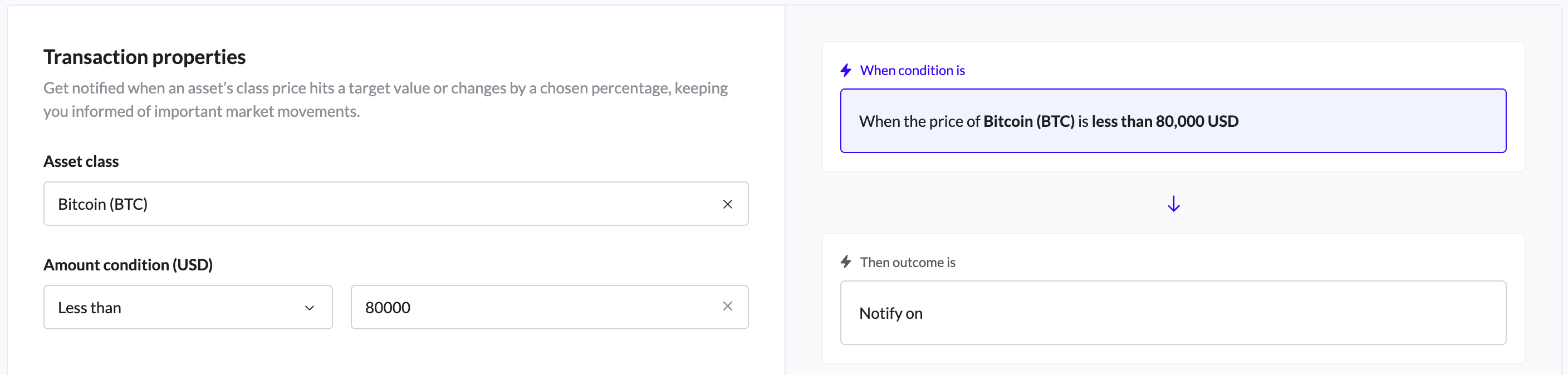
Purpose: Track market volatility and price targets in real-time.
Configuration:
Select the Asset Class.
Set the condition: Price is Greater Than or Less Than a specific fiat value.
Use Case: Alert when ETH drops below $2,000 for a potential buy opportunity.
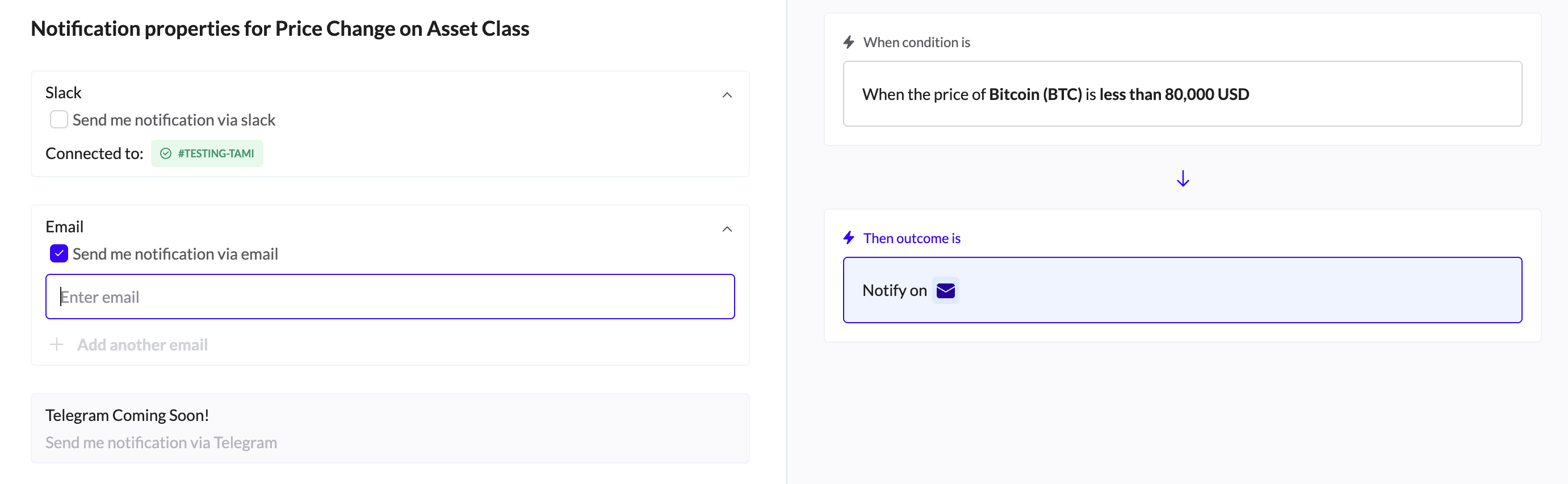
Notify:
Email and Slack are available
If the Slack integration wasn't installed, go to the Integrations page to connect it.
Click Create Alert.
4. Slashing Monitoring
Purpose: Monitor Ethereum 2.0 validators for penalties (slashing) due to misbehavior or inactivity.
Configuration:
Enter specific Validator addresses or indices.
Set triggers for slashing or inactivity events.
Use Case: Immediate notification if your staked node goes offline or is penalized, protecting your yield.
Creating and Managing Alerts
How to Create a New Alert
Click the "Add Alert" button in the page header.
Select one of the four templates and click "Use Template".
Configure Conditions: Set your thresholds, assets, and wallets.
Templates configuration described above.
Set Notification: Choose your channel (Email, Slack, etc.).
Click "Create" or "Activate".
Managing Active Alerts
Use the three-dot menu (⋮) on any alert card to perform actions:
Activate/Deactivate: Toggle the alert on or off without deleting the configuration.
Edit: Update thresholds or notification settings.
Duplicate: Clone an existing alert to create a similar one quickly.
Delete: Permanently remove the alert.
Real-Time vs. Standard Alerts
Real-Time Alerts: (e.g., Price Change) Monitor continuously and trigger immediately (seconds) when conditions are met. Best for trading and critical risks.
Standard Alerts: (e.g., Asset Exposure) Evaluated periodically (e.g., hourly/daily). Best for rebalancing and long-term monitoring.