
Auto-Fill Reconciliation Gaps
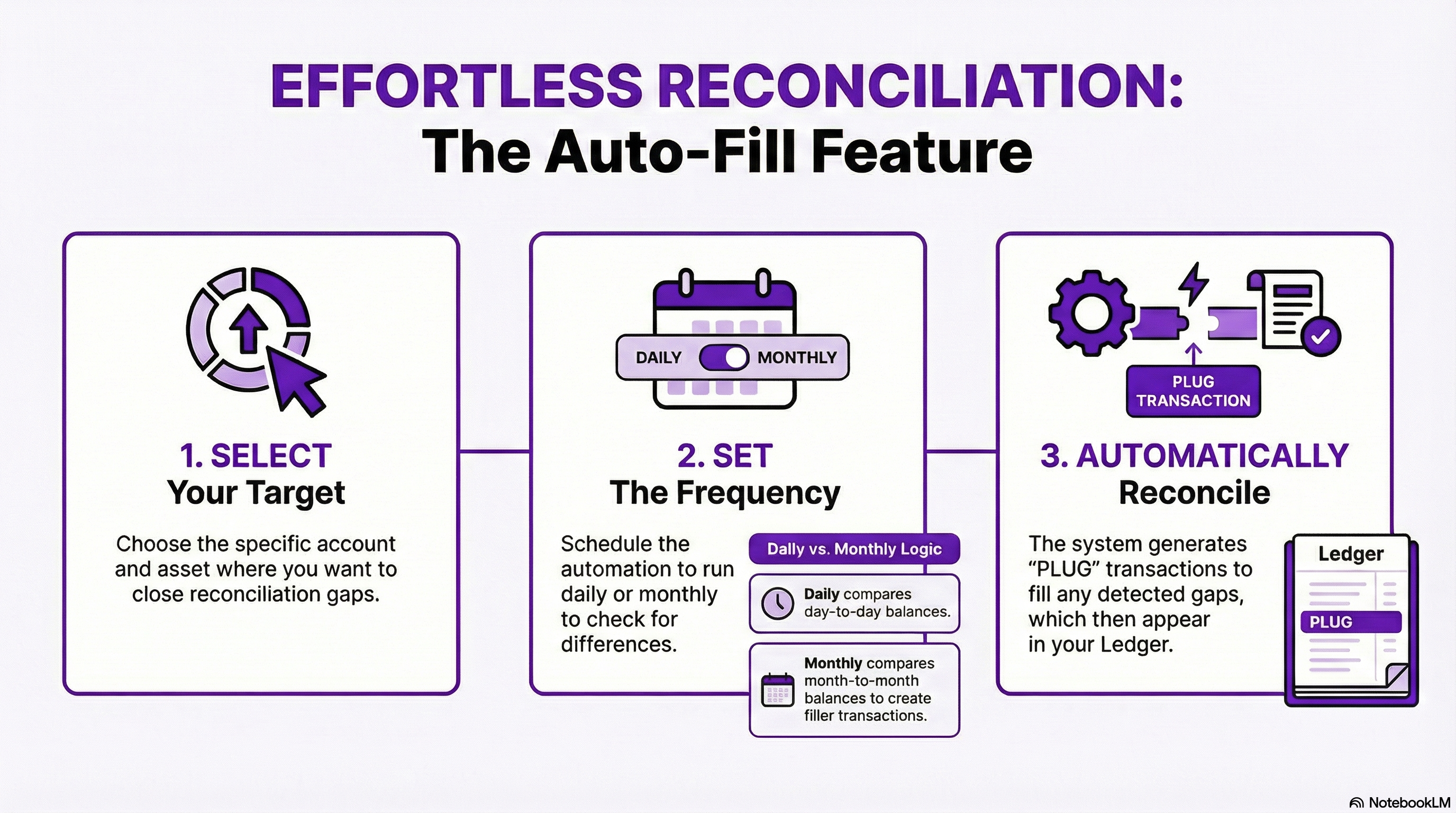
The Auto-Fill Reconciliation Gaps feature introduces scheduled automation to efficiently close reconciliation gaps. This process automatically calculates residual differences for your accounts and assets and generates the necessary manual filler transactions in the Ledger to achieve reconciliation.
Creating the Automation:
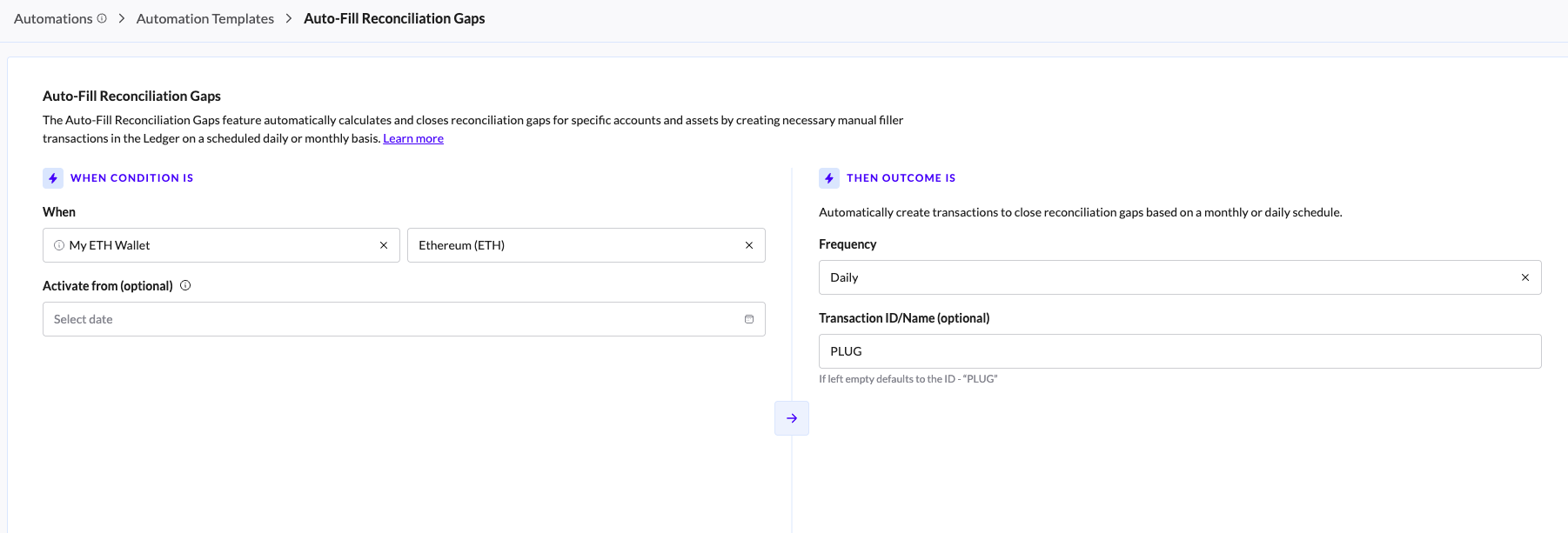
Navigate to the Automations page and select the Auto-Fill Reconciliation Gaps template card.
Choose Account.
Select specific Asset.
Define the Calculation Activision Start Date.
Define the Start Date to initiate the calculation from that specified point up until the present day. If this field is left blank, the calculation will default to running from genesis with every execution.
Choose the interval to run the automation
The Frequency setting determines the time granularity used by the automated system to compare balances and identify reconciliation gaps.
Monthly:
Function: Compares month-to-month balances to identify discrepancies.
Output: Creates one consolidated filler transaction to cover the total difference identified for that specific month.
Daily:
Function: Compares day-to-day balances to identify discrepancies.
Output: Creates separate filler transactions for each individual difference found on each day.
Select the Filler TXs ID
Select the Transaction ID/Name that will be defined for all 'Filler' transactions of this specific automation.

How the Auto-Fill Automation Works
The Auto-Fill Reconciliation Gaps feature runs as a scheduled background job, performing a three-step process to find and resolve gaps based on the parameters you define.
1. The Scheduled Trigger (Interval)
The core process run and check for reconciliation gaps for every defined interval you set: Daily or Monthly.
Daily Interval: The process is triggered every day. It checks the transactions and balances from the defined start date up to the current day (day-to-day comparison).
Monthly Interval: The system is triggered once per month. It checks the transactions and balances from the start date up to the current month (month-to-month comparison).
If no Start Date is set, the system performs this check across the entire account history, until 'Now'.
2. The Gap Calculation
The system executes the reconciliation gap calculation for the Account and Asset you selected.
Scope Definition: The system identifies all Ledger transactions and external data (like balance) for the specified asset within the defined time range (e.g., all transactions in October for a monthly run, or all transactions on November 27th for a daily run).
Matching: TRES runs its standard reconciliation logic to match all transactions summary and balance.
Residue Identification: After all matching is complete, any unbalanced amount the -reconciliation gap - is identified as the amount needing a filler.
3. Filler Transaction Creation
Once the gap amount is calculated, the system automatically creates the necessary manual transaction in the Ledger.
Transaction Generation: A new transaction is generated with an amount exactly equal to the calculated gap, effectively balancing the difference.
Naming: This new transaction is given the Transaction ID/Name defined during the setup, or the system's default name if none was provided.
Frequency:
Monthly: If the interval is monthly, only one single filler transaction is created to cover the entire month's gap.
Daily: If the interval is daily, separate filler transactions are created for the gaps found on each specific day.
Ledger Reflection: The newly created transaction is immediately reflected in the Ledger and is tagged with a Manual badge.
