
Resolve "Missing Fiat Value" Errors
If you see a "Missing fiat value" error message in your ledger, it means one or more transactions for a specific asset are missing a price.
Important: Because cost-basis calculations are linked, a single transaction missing a fiat value will affect the calculation for all transactions of that asset— past and future — until the issue is resolved.
Phase 1 — Identify the Affected Transactions
There are two ways you may encounter this error:
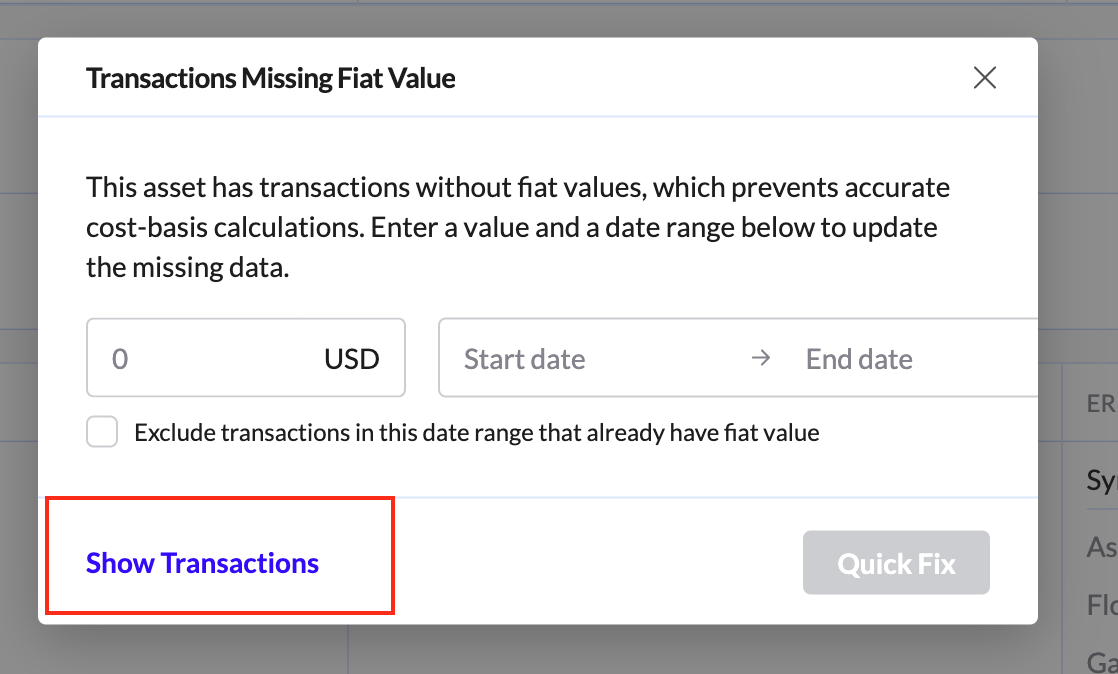
When attempting to sync a transaction If you see a "Missing Fiat Value" error while syncing, click "View details" and then click "Show Transactions." This will filter your ledger to show only the specific transactions for that asset that are missing a price.
Proactively checking your Ledger If you want to review all missing fiat value issues across your ledger at any time:
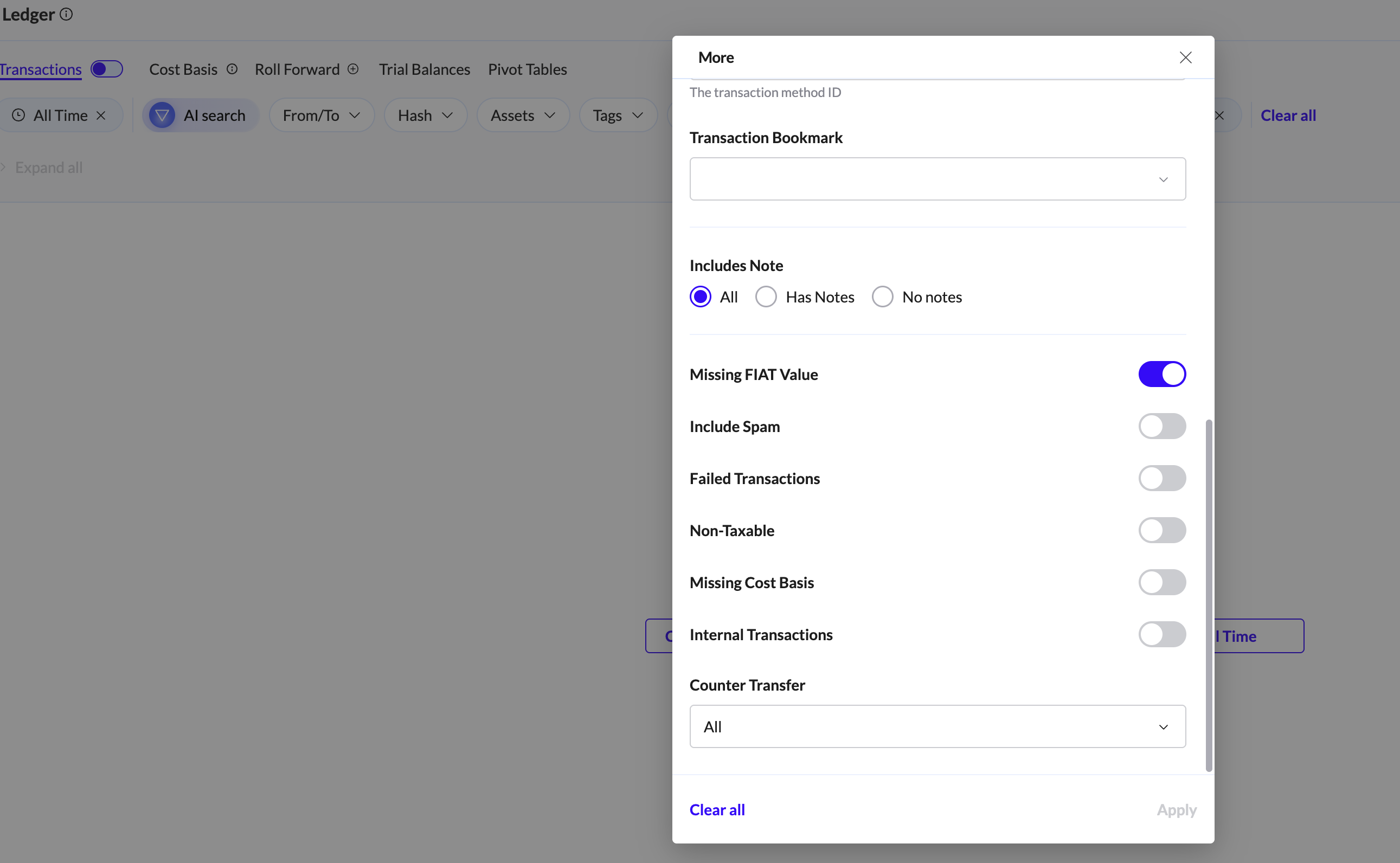
Click More Filters in the filter bar.
Scroll down and toggle Missing Fiat Value.
Optional: apply an additional Asset filter to narrow results to a specific token or coin.


Phase 2: The "Quick Fix" (Self-Service)
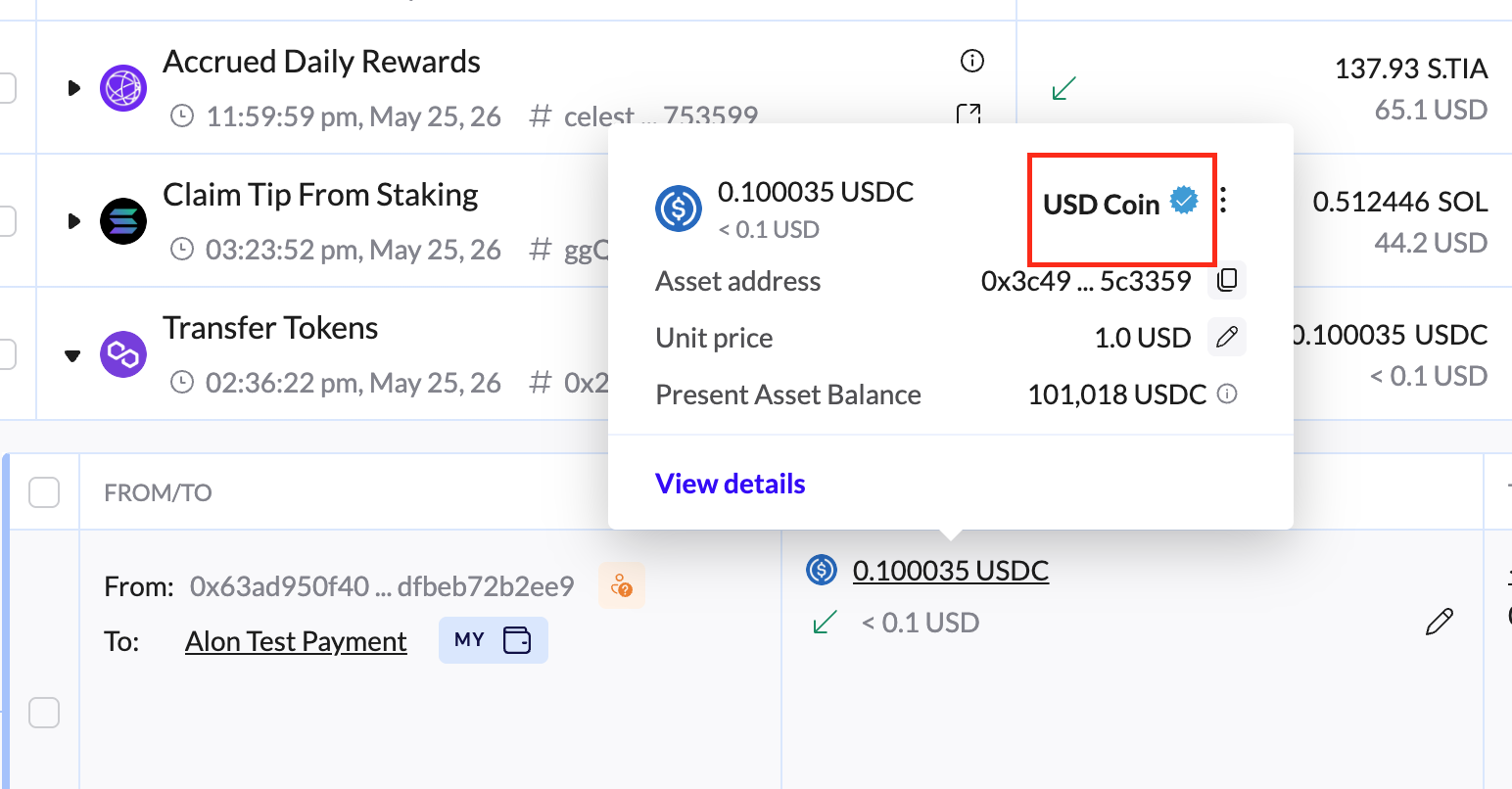
If the asset is Verified (carries a blue Verified badge- see example on the screenshot below) or if pricing exists for some dates but not others, you can often resolve this yourself.
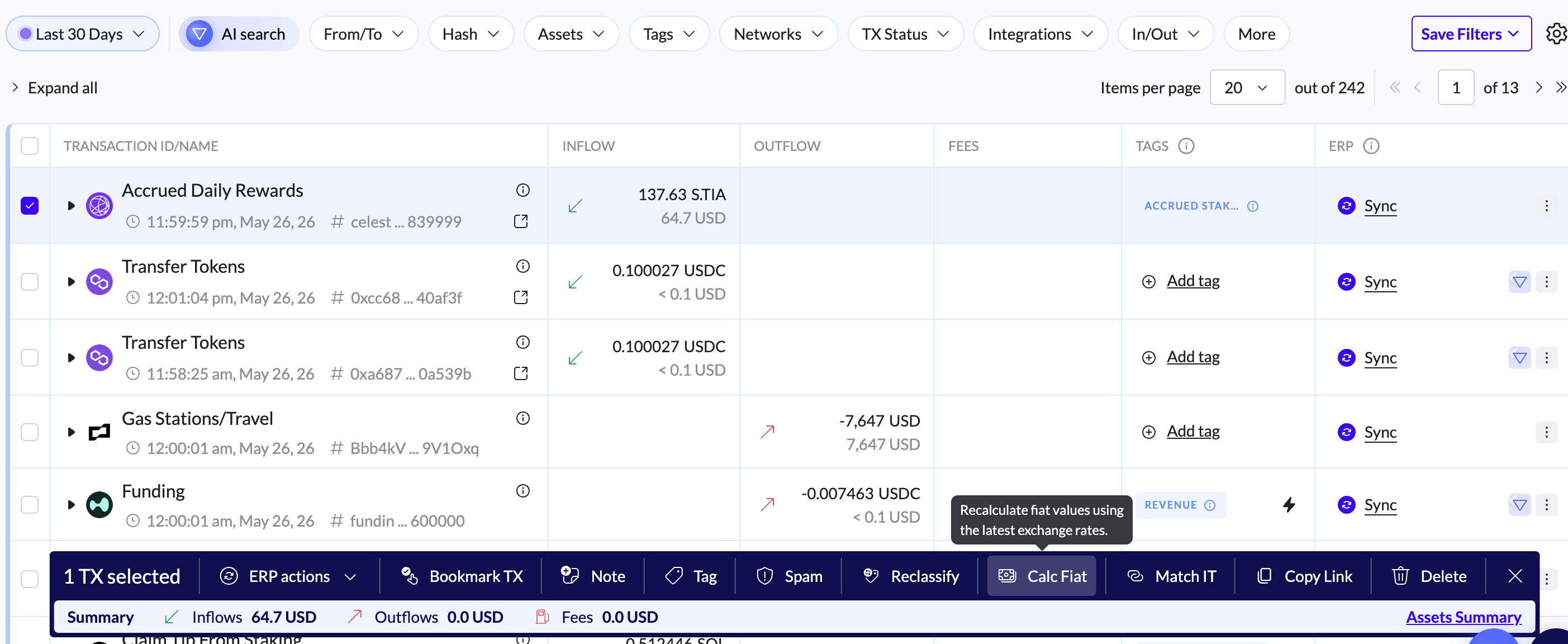
Select Transactions — click the checkboxes next to the transactions missing a fiat value.
Open the Actions menu and choose Calculate Fiat Value.
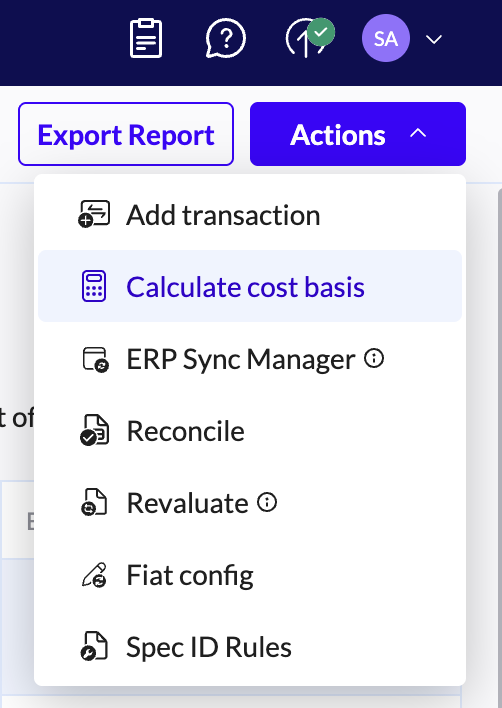
Once the fiat values appear, run Calculate Cost Basis — found in the Actions menu in the top-right corner. You can run it for this asset only, or for all assets (note: running for all assets may take longer).
Result: If pricing data is available in our database, the error message will disappear and your balances will update automatically.
Phase 3 — If the Quick Fix Doesn't Work
If the steps above don't resolve the error, it usually means pricing data for those specific dates doesn't exist on public markets (e.g., CoinGecko or CoinMarketCap).
Scenario A: The asset was not yet listed on the transaction date
Example: you have transactions from 2024, but the asset only began trading in 2025 — there is no market price for those earlier dates.
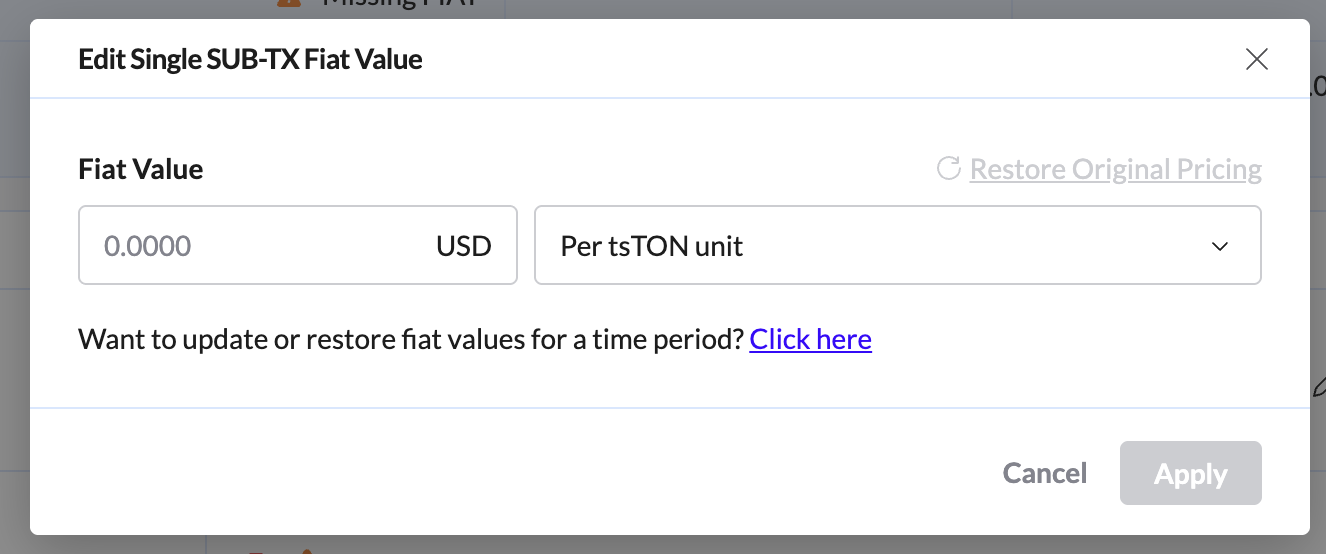
Solution: You can enter the fiat value manually by clicking the pencil icon next to the missing fiat value error message.
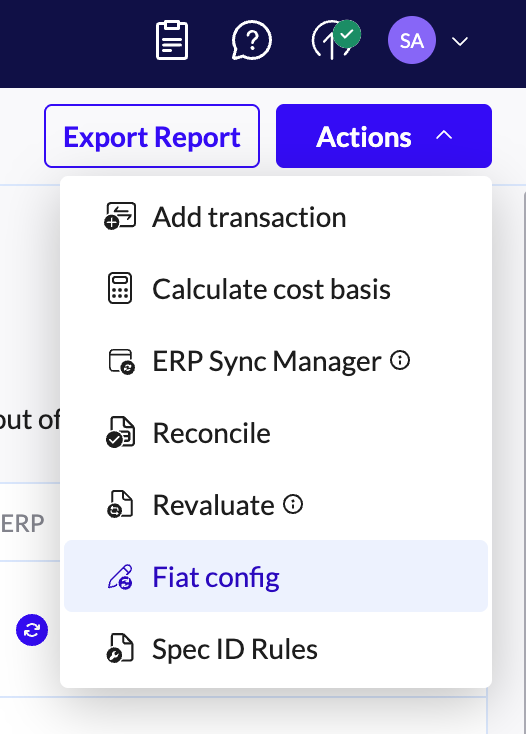
Pro tip: Use the Fiat Config feature for bulk updates — go to Ledger → Actions → Fiat Config to update multiple transactions at once.
Scenario B: The asset is not yet supported for automated pricing
If the asset has no "Verified" badge and no pricing data appears at all:
Check CoinGecko or CoinMarketCap to see if the asset is listed.
If it is listed — contact our support team to request that we add this price feed to your organization.
If it is not listed — enter the fiat value manually per transaction. For larger datasets, use Fiat Config (Ledger → Actions → Fiat Config) to provide your own valuation.
Troubleshooting Checklist
Spam: If an asset you know to be legitimate is being flagged as "Spam," contact Support so we can unmark it. Spam-flagged assets may not receive pricing updates.
Cross-Chain Assets: If you hold the same asset on two different chains (e.g., TAC on Bybit and TAC on TON) and only one has pricing, contact Support to request an Asset Merge. This will unify the price feed across both chains.
Always re-run Cost Basis: Whenever you update fiat values, immediately run Calculate Cost Basis. Skipping this step will leave your balances and reports out of sync.