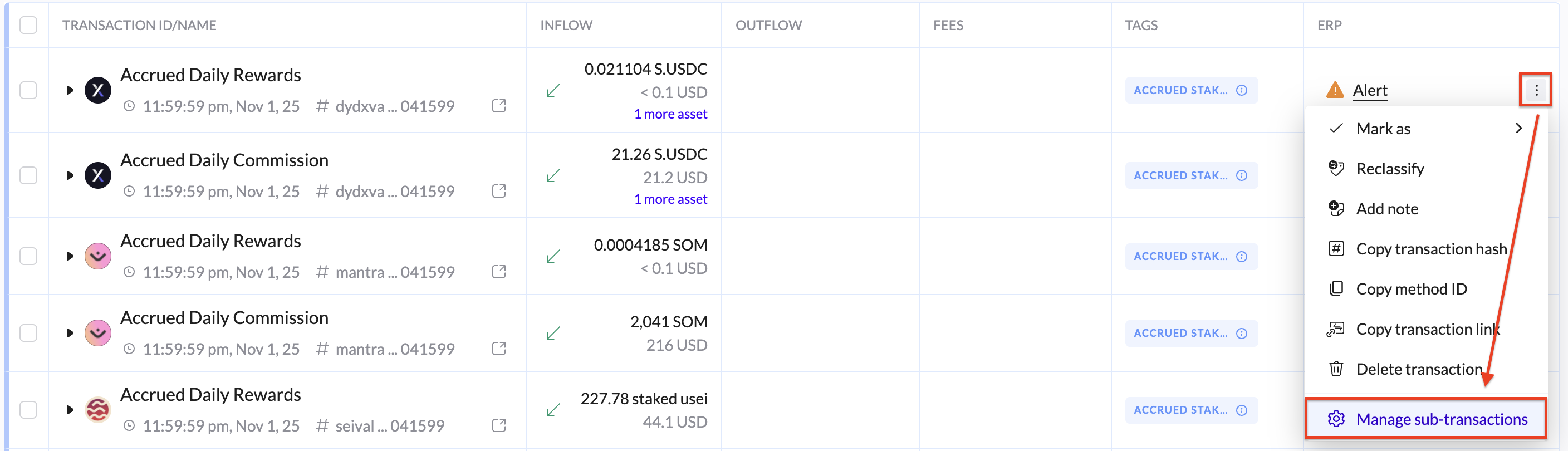
Sub-TX Row Actions
Sub-Transaction actions:
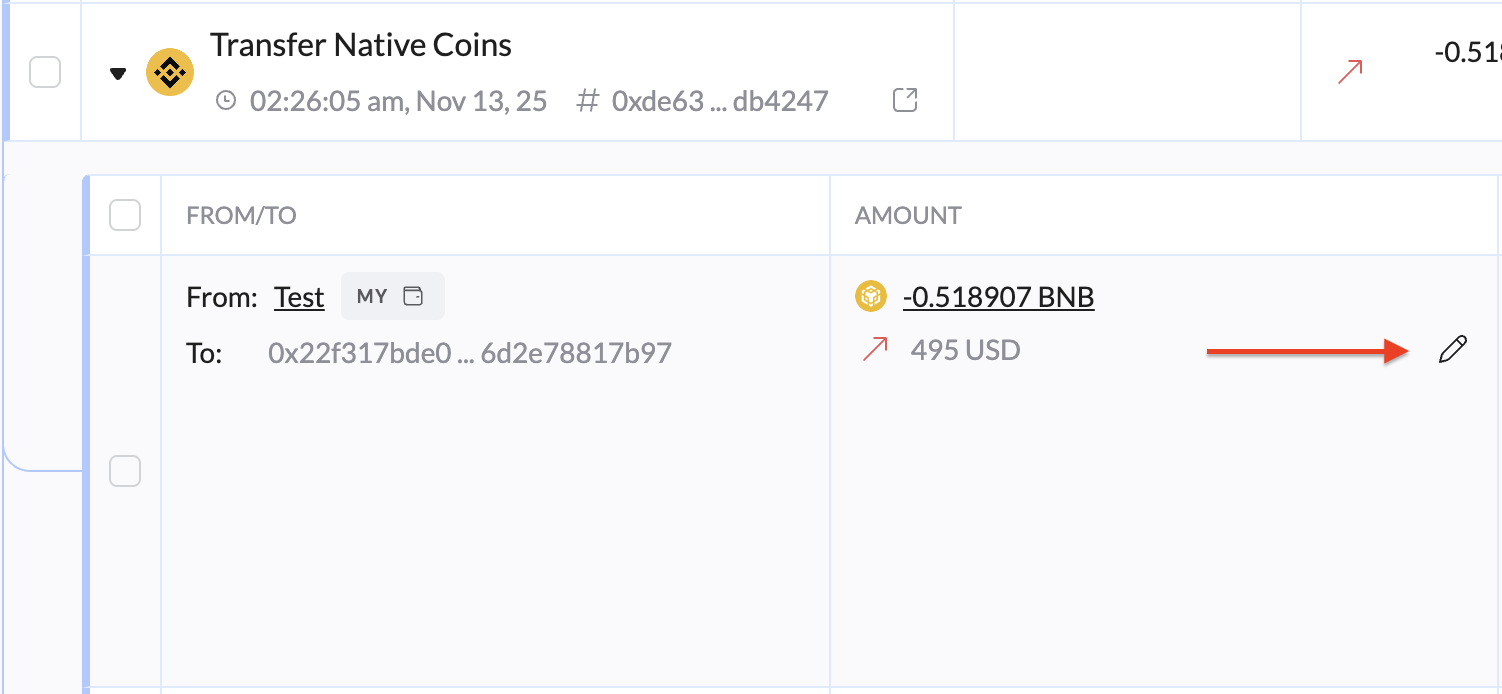
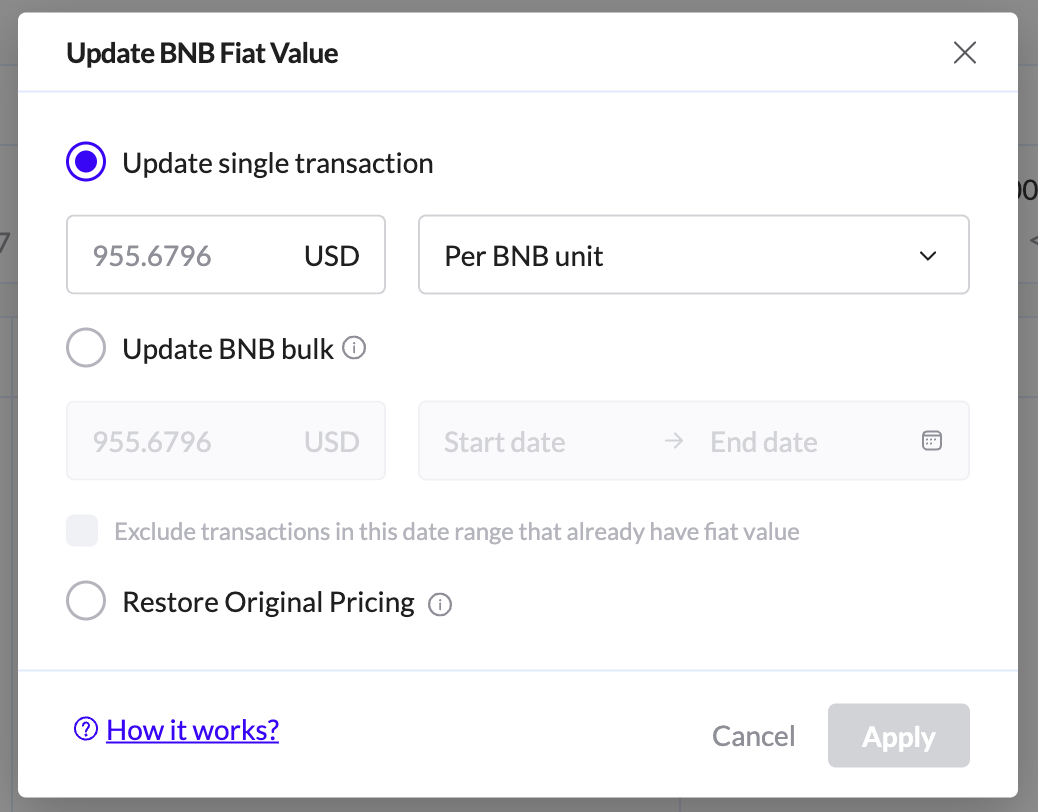
Edit Fiat Value - Use to apply a fiat value only to existing transactions for the selected asset and date range. New wallets added later won’t use this value.
Cost basic calculation modal: Shows the detailed inventory and valuation of the asset after the transaction, allowing users to view cumulative cost, cost per unit, fair market value, and realized gains or losses based on the configured cost basis methodology.
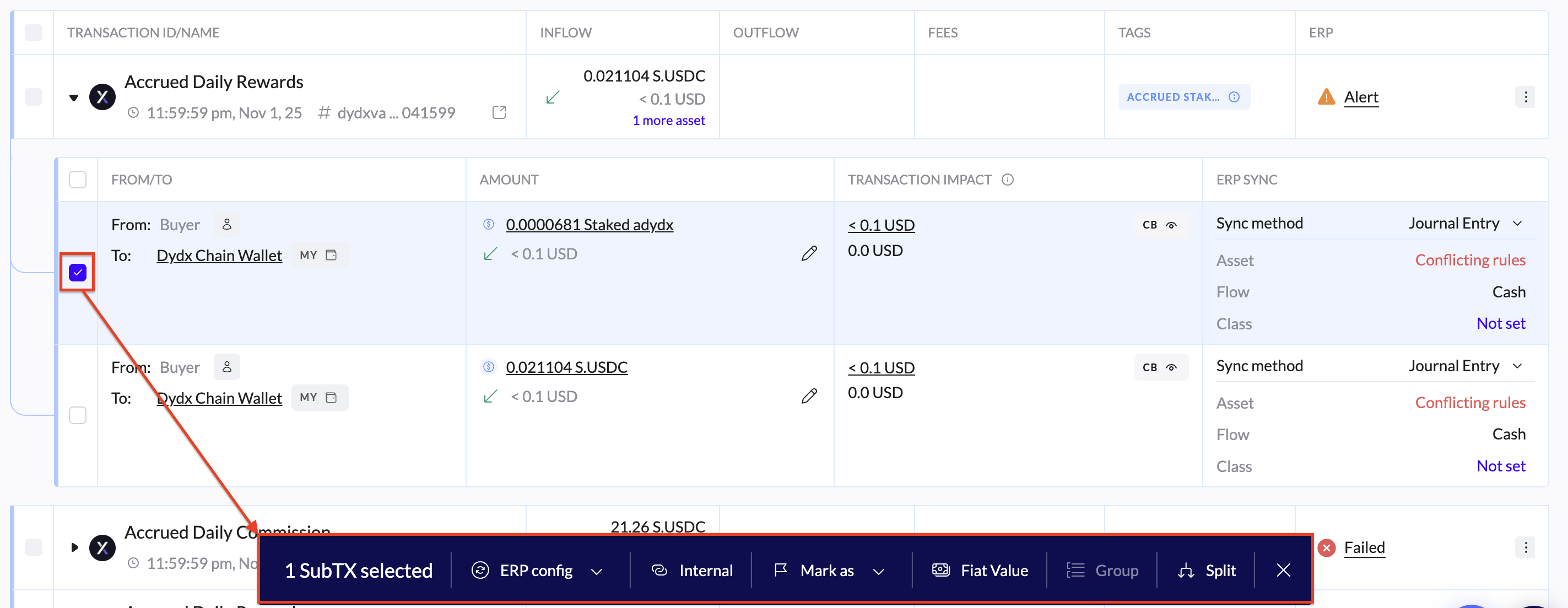
When sub-transactions selected:
ERP config:
Ignore sub-transactions - From ERP sync
Set chart - Assign a chart to the selected items
Internal - Mark the selected sub-transaction as internal
Mark as:
Non-taxable + Impact Inventory - Marking as non-taxable will halt the cost basis calculation and the cost basis inventory will be impacted. For more information refer to the Setting Sub-transactions as Non-taxable guide.
Non taxable + Non impact inventory - Marking as non-taxable will halt the cost basis calculation however the cost basis inventory will NOT be impacted.
Fiat Value - Select multiple sub-transactions or a specific time period to update any missing fiat values within that range
Group - Group the selected sub-transactions
Split - Split the selected sub-transactions


Actions can be performed from:
Transaction actions menu:
By selecting a sub-transaction, a menu will pop up: